Your iPhone is now a real estate camera. Listing-readyin 30 seconds.
Lumo is an iPhone app for real estate agents who shoot their own listings. Shoot a room, tap once, and get a bright, true-to-life listing photo in under 30 seconds. No photographer to book.


5 photos free · No card needed · Cancel anytime
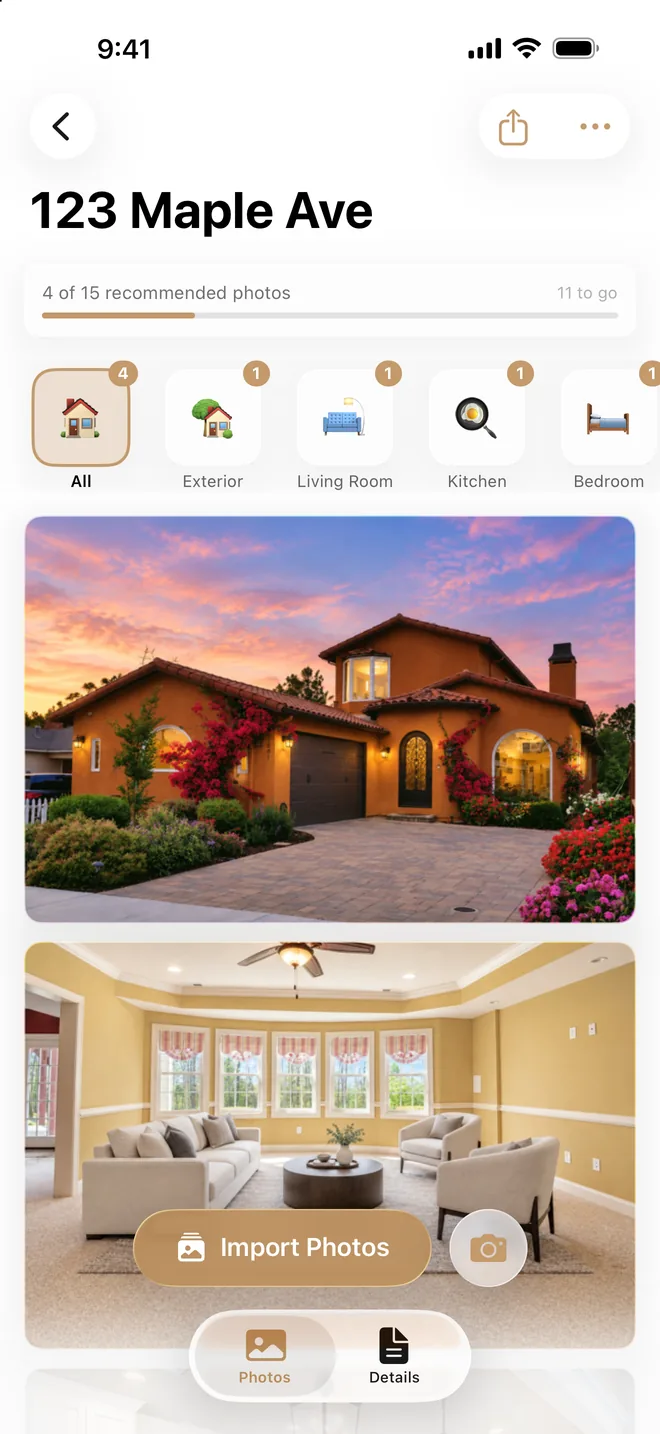


Drag to compare. Every sky is a real Lumo result from the same photo.
- Under 30 secondsfor each photo
- Every room sortedfor you, automatically
- Edits labeledstaging and new skies, by default
- Your brand on exportsname, logo and contact (Pro)
Real results
Real photos. Real results.
Every result below was made by Lumo's own enhancement, the same way the app makes them. Drag each photo to compare.


Kitchen
Brighter exposure and balanced color, with the blue cast gone. Cabinets, counters and fixtures untouched.


Dim bedroom
Dark corners lifted and the view out the windows brought back. The room itself stays as shot.
Better light. Same house.
What Lumo improves
- Light and exposure. Dark rooms brightened, harsh shadows softened.
- Color. White balance corrected so walls and floors look natural.
- Windows. Blown-out white windows show a natural outdoor view.
- Exteriors. A new sky (golden hour, bright day or twilight), healthier-looking lawns and cleaner driveways.
What never changes
- Size and layout. Rooms aren't made to look bigger or more open.
- Walls, windows and doors. Nothing added, removed or moved.
- Materials and colors. Floors, counters, cabinets and siding keep their real finish.
- Fixtures, furniture and age. What's in the room stays, and an older home still looks like an older home.
Staging and new skies are opt-in, and those photos export with a "Virtually Staged" label by default so you can disclose them. Lumo uses AI, so review each photo against the property before you list it.
Some originals are licensed sample photos. Results show the small "Enhanced by Lumo" badge that free accounts export with.
See all examplesHow it works
One app. The whole shoot.
No laptop, no editing software, no photographer's calendar.
- 1Shoot each room, or import photos you already took
- 2Tap once. Each photo is ready in under 30 seconds
- 3Export in the right size for the MLS, Zillow or Instagram
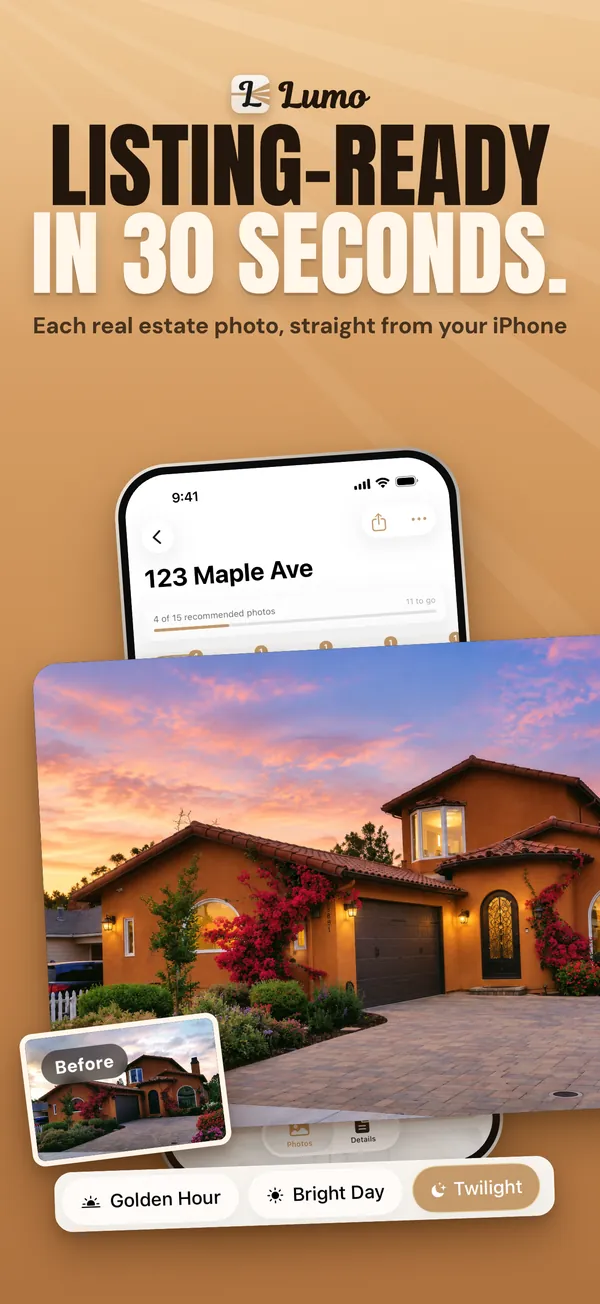
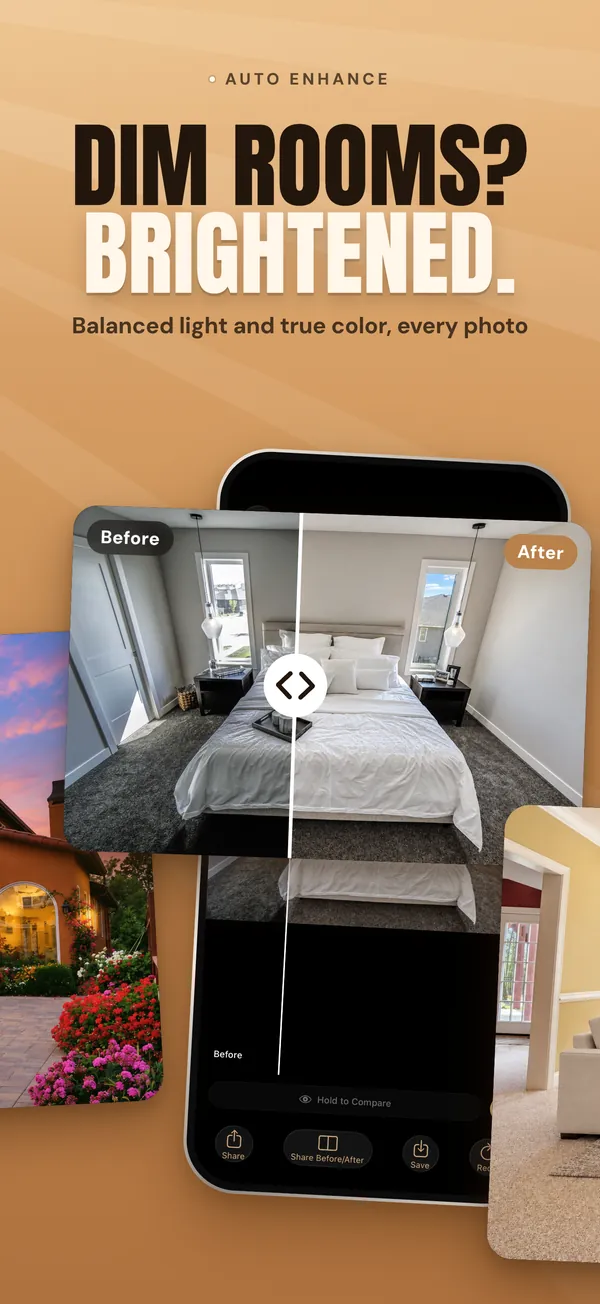
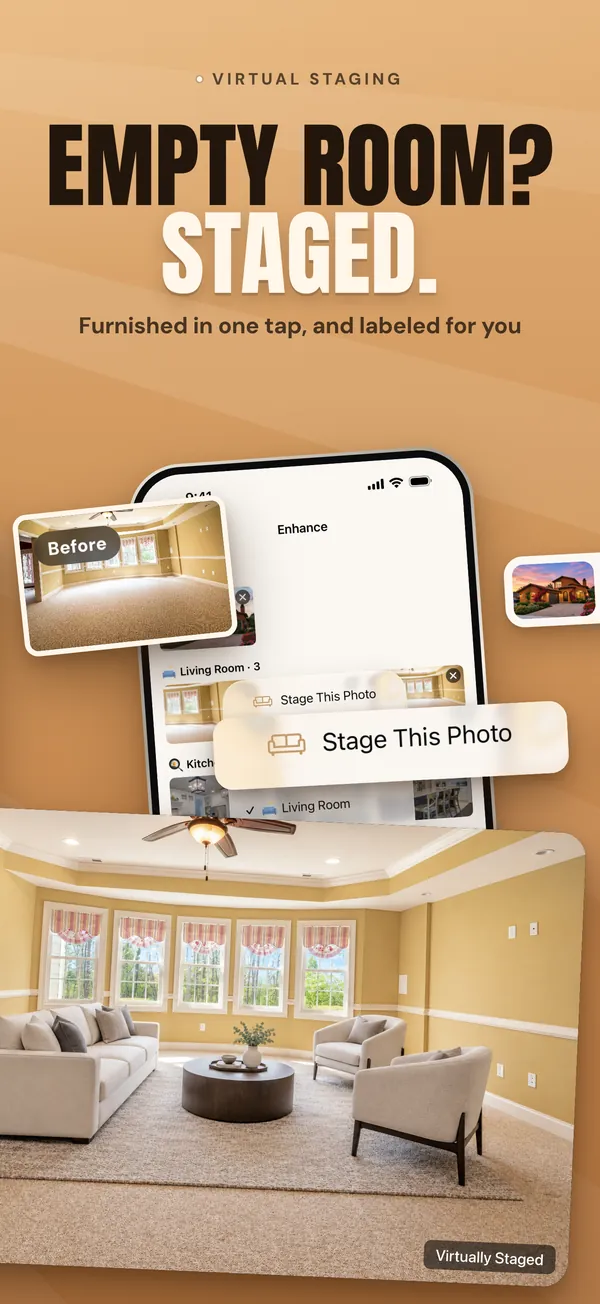
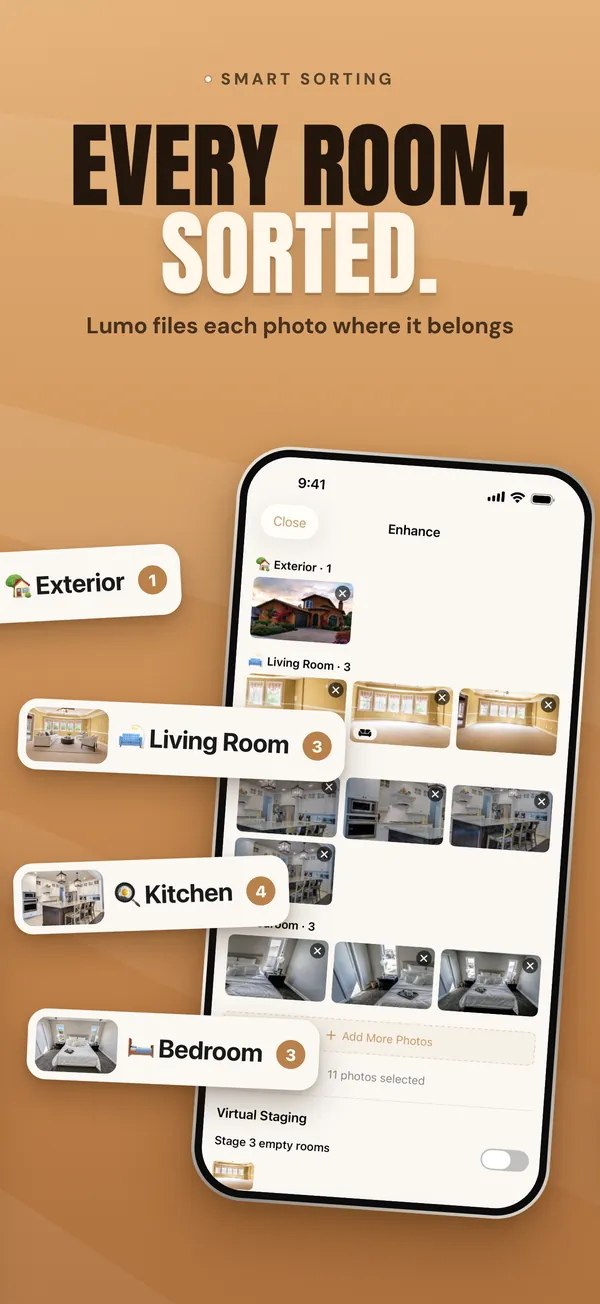
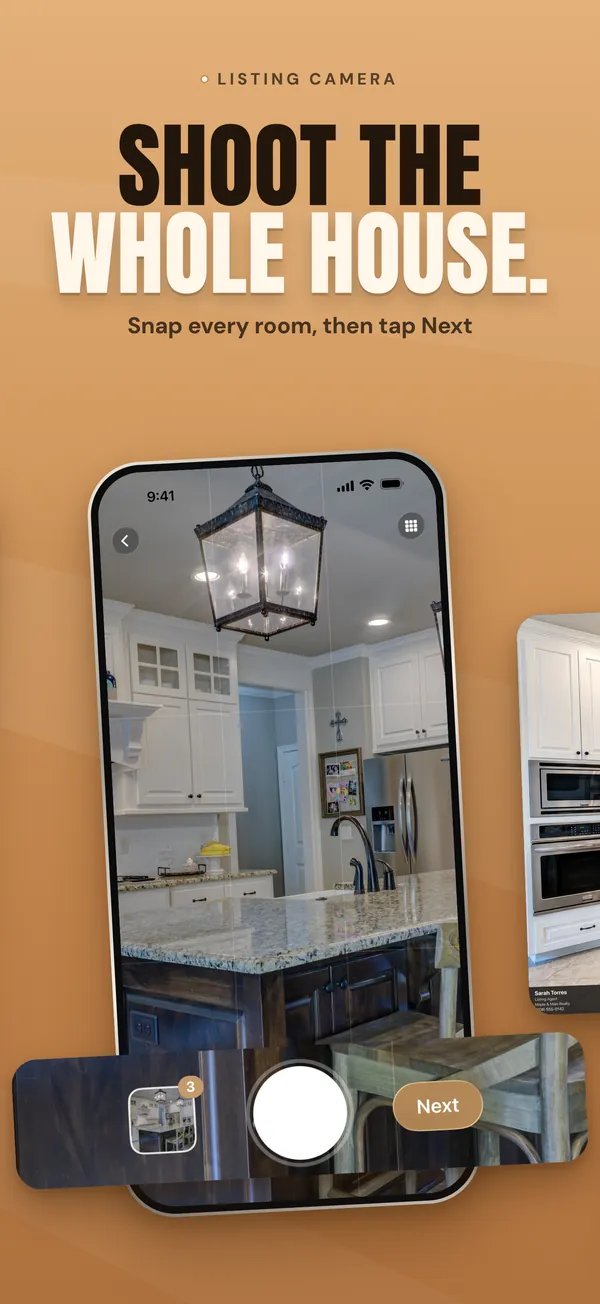

Real screens from the Lumo app.

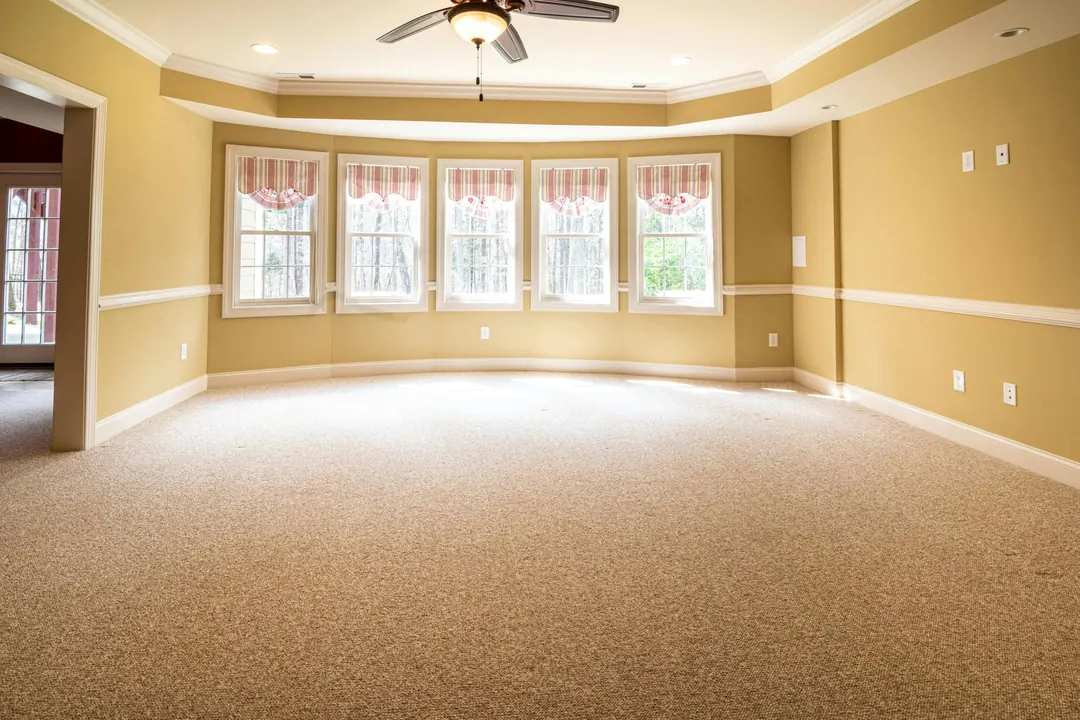
Empty room? Staged.
Real Lumo result. Staging is opt-in, and staged photos export with a "Virtually Staged" label by default.
Pricing
Less than one photo shoot.
A photographer is another bill, booking and wait on every listing. Lumo is one flat price, and you can start free.
Free
$0
See the results on your own photos.
- 5 photo enhancements, including virtual staging
- 1 listing
- Exports include a small "Enhanced by Lumo" badge
- No card needed
Pro
$29.99 / month
or $239.99 / year, about $20 a month
- 500 photos and 50 listings a month
- Turn off the Lumo badge on exports
- Your headshot, logo and contact info on your photos
- Everything in Free
Prices in USD; local App Store pricing may vary. Billed through your Apple account. Cancel anytime in Settings. Photographer prices are typical U.S. ranges for listing photos only ($150–$250, from the booking sites Snappr and RubyHome); big cities run higher. Drone, video and 3D tours cost more, and Lumo doesn't do those.
FAQ
Common questions.
Is it good enough for the MLS?
For most listings, yes. Lumo exports photos in common listing sizes such as 3:2 and 4:3, with brighter exposure and balanced color. MLS rules vary: some, such as CRMLS, don't allow logos or branding, so turn off the Lumo badge with Pro, and check your MLS's rules on edited photos.
Does Lumo change the property?
Standard enhancement is designed to change the light, not the house. Layout, materials, colors and fixtures stay as they are. On exteriors it replaces the sky and tidies lawns and driveways. Because Lumo uses AI, review each photo against the property before you list it.
Will buyers know a photo is virtually staged?
Staging is opt-in, and staged photos export with a "Virtually Staged" label by default so you can meet disclosure requirements. Photos with a new sky get the same label.
What do I get for free?
5 photo enhancements and 1 listing, to try Lumo on your own photos. No card needed, and failed enhancements don't count. Free exports include a small "Enhanced by Lumo" badge. Pro ($29.99 a month or $239.99 a year) unlocks 500 photos and 50 listings a month, badge-free exports and agent branding.
Can I use photos I've already taken?
Yes. Import up to 20 photos at a time from your photo library, or shoot new ones in Lumo's camera.
What iPhone do I need?
Any iPhone running iOS 26 or later. No extra hardware is needed. Better-lit originals give better results, but everyday iPhone photos improve a lot.
How is this different from hiring a photographer?
A photographer is paid for each shoot, needs scheduling, and you wait for the edited photos. Lumo is a flat monthly price, works whenever you're at the property, and returns each photo in under 30 seconds. For luxury listings you may still want a photographer for video, drone shots and 3D tours.
Can I cancel anytime?
Yes. Cancel in your iPhone's Settings or the App Store at any time. No contracts or fees, and Pro stays active until the end of the period you paid for.
Your next listing is already in your pocket.
5 photos free. No card needed.
Get Lumo on the App Store